> ## Documentation Index
> Fetch the complete documentation index at: https://info.invictai.io/llms.txt
> Use this file to discover all available pages before exploring further.
# Widget and embeds
This feature is available exclusively for Pro, Business, and Enterprise
customers.
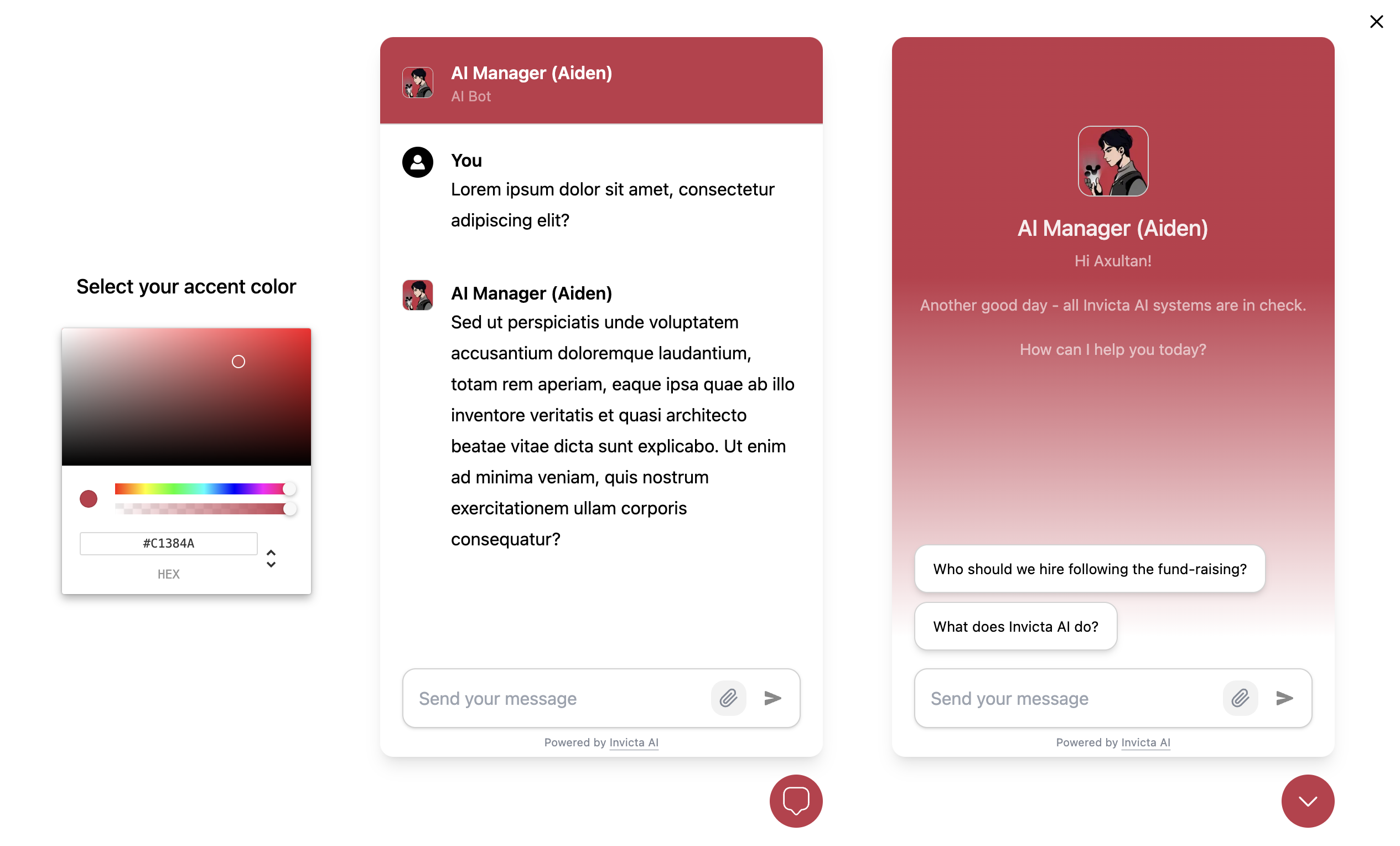
The Widget and Embed feature allows you to integrate your Invicta AI agent into a
chat widget or an embed window on your website. This enables users to interact with
your agent directly on your site, without the need for sign-up, providing a seamless
experience similar to the ChatUI on the Invicta AI platform.
 ## Setting Up Widget and Embed
Follow these steps to set up the Widget and Embed feature:
Go to the Agent's Builder and change its visibility to "Widget/Unlisted".
Click the "Customise Widget" button that appears. Select an accent color for
the agent to match your brand. You can preview the widget in real-time.
Save your changes to the agent.
Open the agent's info window and click the "Share" button.
You will see scripts for embeds and chat widgets. Copy the appropriate
script and integrate it into your codebase.
## Functionality
The agent within the widget/embed functions similarly to the regular ChatUI, capable of:
* Responding to queries
* Using tools
* Invoking AI teammates
**Key differences in widget/embed functionality:**
## Setting Up Widget and Embed
Follow these steps to set up the Widget and Embed feature:
Go to the Agent's Builder and change its visibility to "Widget/Unlisted".
Click the "Customise Widget" button that appears. Select an accent color for
the agent to match your brand. You can preview the widget in real-time.
Save your changes to the agent.
Open the agent's info window and click the "Share" button.
You will see scripts for embeds and chat widgets. Copy the appropriate
script and integrate it into your codebase.
## Functionality
The agent within the widget/embed functions similarly to the regular ChatUI, capable of:
* Responding to queries
* Using tools
* Invoking AI teammates
**Key differences in widget/embed functionality:**
1. **Steps** like "Knowledge Base retrieved", tool uses, or AI teammate invocations
are not displayed.
2. **Credits** for agent usage within the widget are deducted from the agent's
author, not the end-user.
## Analytics
* You can view chat logs with your agents in the analytics page.
* Monitor agent usage across all platforms (widget, Invicta AI platform, etc.) in the analytics page.
Chat Logs Analytics feature is available for Pro, Business, and Enterprise
customers.
Usage analytics are available for all customer tiers.