> ## Documentation Index
> Fetch the complete documentation index at: https://info.invictai.io/llms.txt
> Use this file to discover all available pages before exploring further.
# Slack Channel ID
To enable an agent to send messages to a specific Slack channel, you need to
include the channel ID in the agent's system message or request.
Finding your Slack channel ID is a straightforward process:
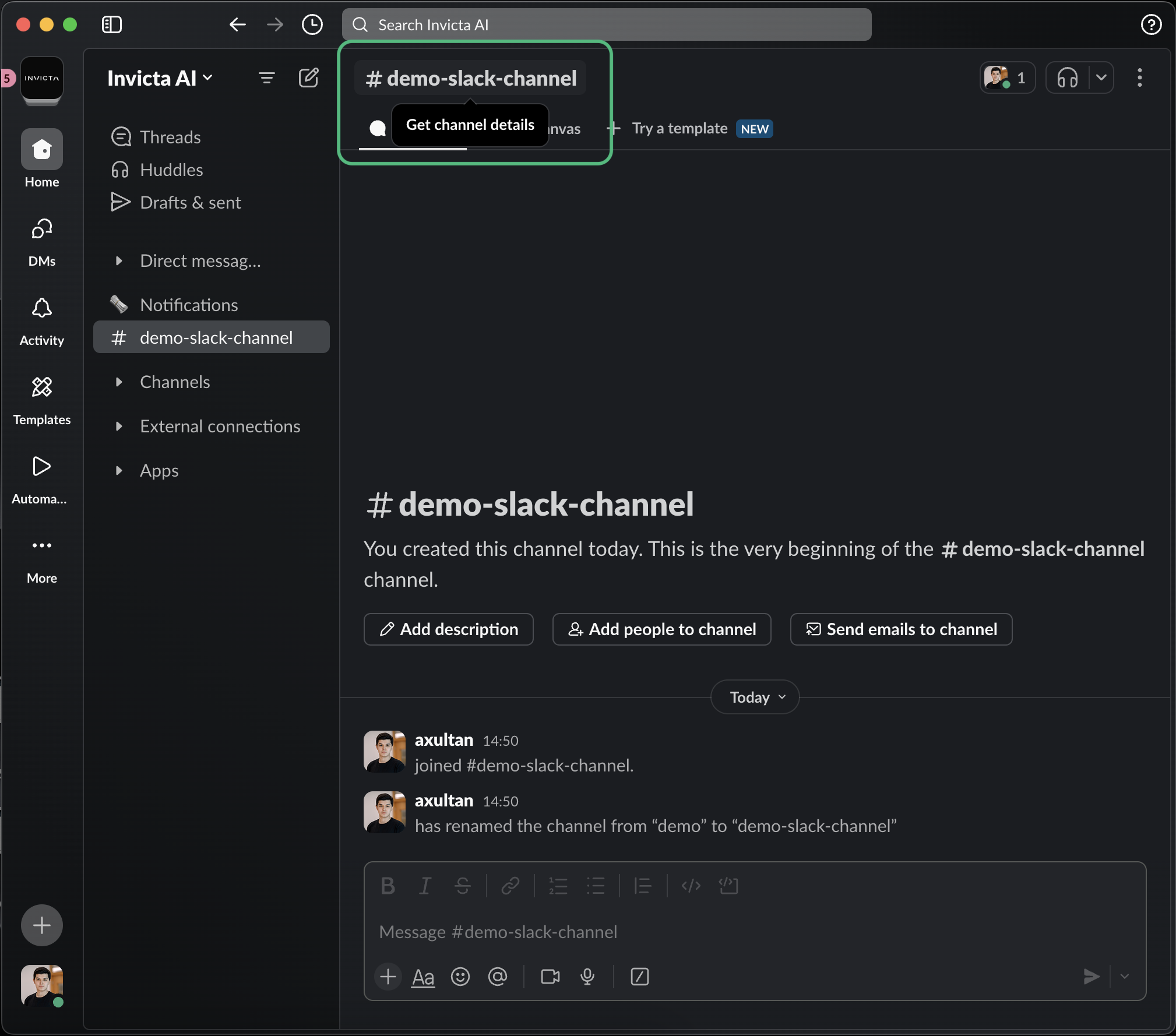
Click on the channel name at the top of your Slack window
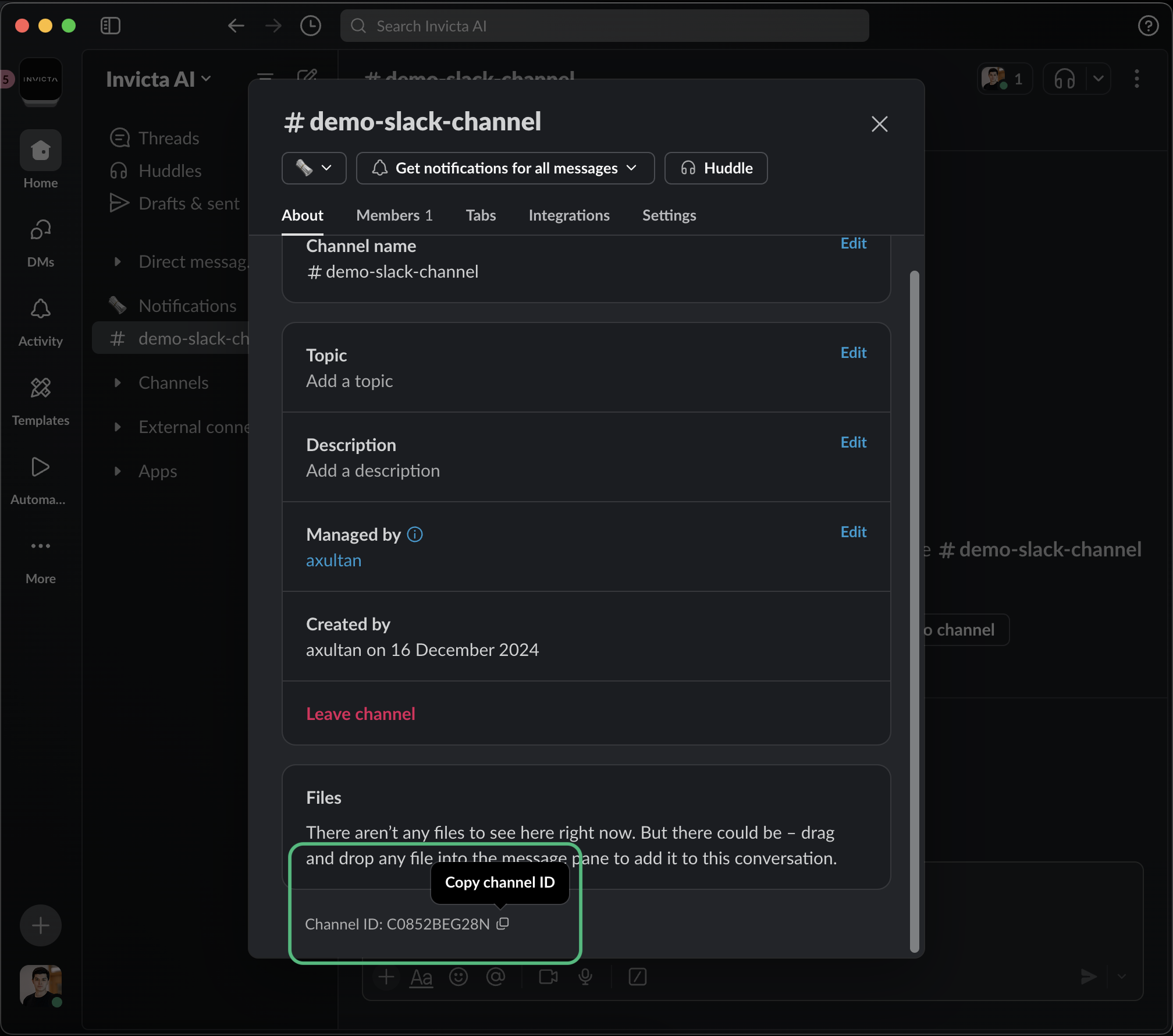
 Scroll down in the channel details and at the bottom of the details, you'll
find the Channel ID
Scroll down in the channel details and at the bottom of the details, you'll
find the Channel ID
 For example, a channel ID might look like: `C04RXXXXX`
Channel IDs always start with 'C' followed by a combination of numbers and
letters.
For example, a channel ID might look like: `C04RXXXXX`
Channel IDs always start with 'C' followed by a combination of numbers and
letters.